
What Is PPCine? A Guide to the App, Content and Compatibility
PPCine is a name people search for when looking for an app to watch movies and TV shows without a traditional streaming subscription. It is commonly discussed on APK download websites as a free streaming app, particularly among Android users in countries such as India and Brazil. However, it is important to distinguish between descriptions found on download websites and features that can be independently verified.
If you have recently heard about PPCine and want to understand what it is, what it offers, how it works, and which devices might support it, this guide covers the essentials. It also explains the difference between an APK file and an installed application, why device compatibility matters, and what to consider before installing software from outside an established app store.
What Is PPCine APK?
PPCine is generally presented on third-party APK websites as an Android application associated with free movie and TV show streaming. The term PPCine APK refers to an Android installation file advertised under the PPCine name.
An APK is Android’s installable application package format. It contains the files needed to install an application on a compatible Android device. Unlike an app downloaded directly through Google Play, an APK obtained from a website may need to be installed manually. Android Developers explains the distinction between APK files and Android App Bundles in its official documentation.
There is an important distinction between the PPCine name and a verified application identity. Several websites advertise PPCine as a streaming service, but their descriptions do not establish that every file using this name comes from the same developer or provides the same functionality.
Google Play also contains applications named PPCine with different package identities and descriptions. For example, one listing describes movie and anime discovery, while another describes fictional films and episodic series generated using artificial intelligence. Neither listing establishes the identity or functionality of the separate streaming APK promoted by third-party download websites.
For this reason, it is better to treat PPCine as an application name associated with several online listings rather than assume that every PPCine download is an identical product.
What Does the PPCine App Offer?
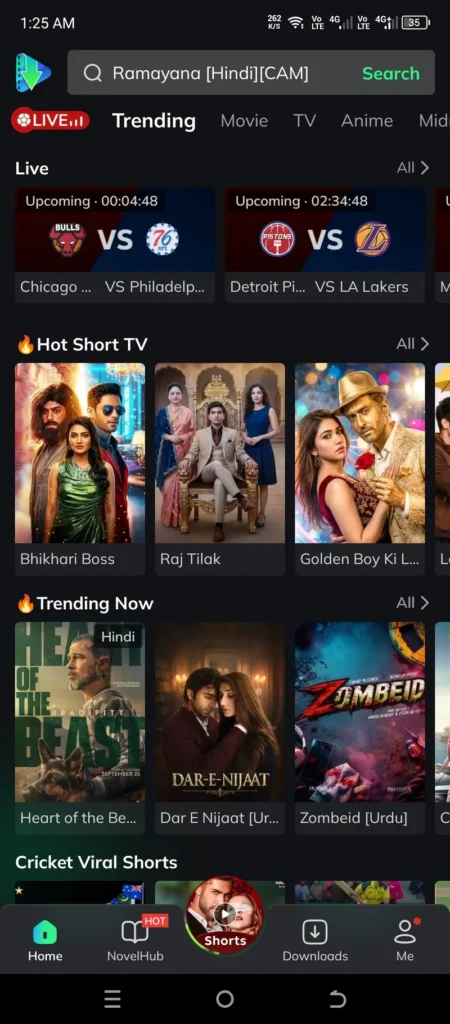
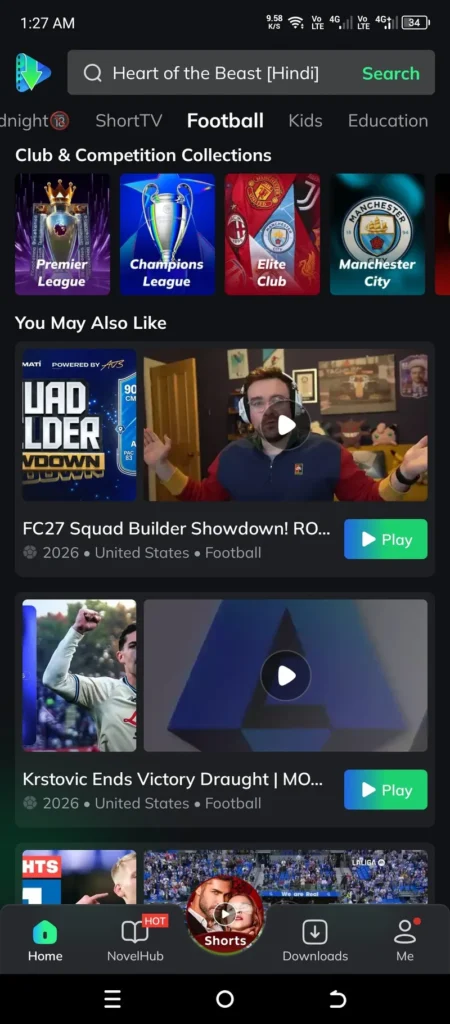
Third-party websites describing the streaming-oriented PPCine APK commonly associate it with entertainment content and movie browsing. However, the exact features have not been independently confirmed through an identifiable official developer or product source.
The following table separates the commonly advertised purpose from what can actually be established.
| Area | What third-party descriptions claim | Verification status |
|---|---|---|
| Movies | Bollywood, Hollywood and other films | Not independently verified |
| TV shows | Television series and episodes | Not independently verified |
| Web series | Online episodic entertainment | Not independently verified |
| Animation and anime | Animated entertainment | Not independently verified |
| Live TV | Access to live television channels | Not independently verified |
| Video quality | HD and other resolution options | Not independently verified |
| Subtitles | Language and subtitle options | Not independently verified |
| Offline viewing | Downloading content for later playback | Not independently verified |
These are descriptions found across PPCine-related websites, not a confirmed feature list. Availability may differ between files and applications using the same name.
Movies and TV Shows
Movies and television programs are the main types of content associated with the PPCine streaming search. Third-party descriptions mention different genres, including:
- Action and adventure
- Comedy
- Drama
- Romance
- Horror and thriller
- Family entertainment
- Animated content
For viewers in India, regional entertainment and Hindi-language titles are also mentioned in some descriptions. Brazilian users may encounter websites advertising international entertainment, but Portuguese-language availability has not been independently established.
Do not assume that a particular movie, series, language or channel will be available simply because a download website advertises it.
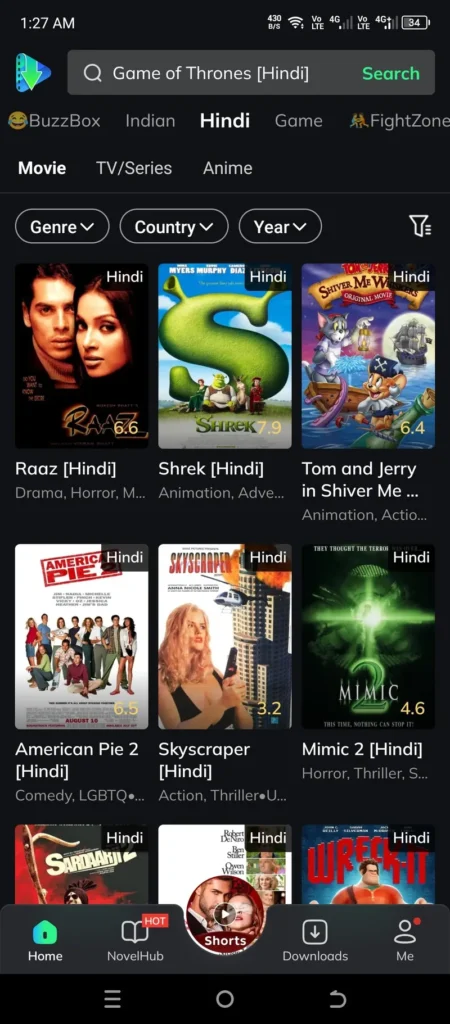
Content Browsing and Search
Some PPCine descriptions refer to browsing entertainment categories and searching for titles by name. These are common functions in movie discovery applications.
However, the search interface, recommendation system, favorites feature and playback controls of the streaming APK have not been verified against an identifiable official product specification.
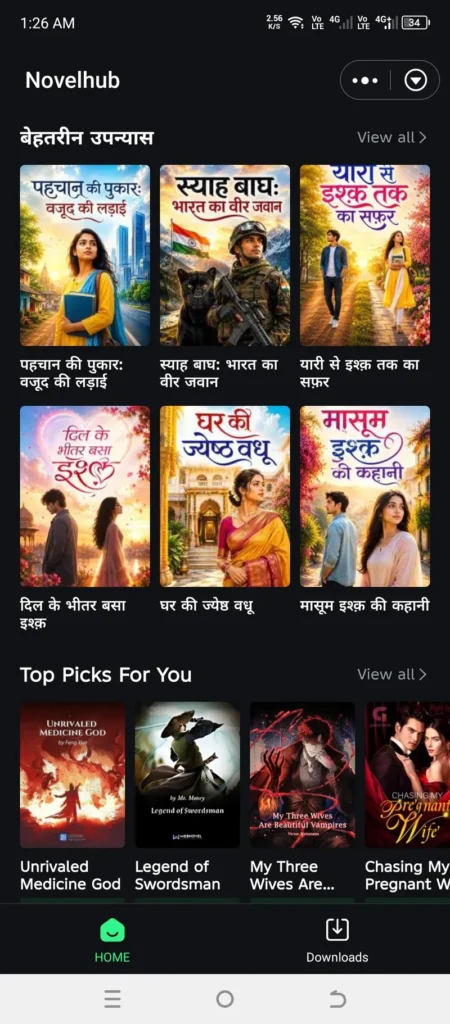
Streaming and Video Quality
Several third-party pages advertise HD playback and different video quality options. Actual playback quality, where streaming is available, can depend on the video source, internet connection, device capabilities and application implementation.
A website advertising HD or 4K does not prove that every title is available in that resolution. Similarly, smooth or buffer-free playback should not be treated as a guaranteed feature.
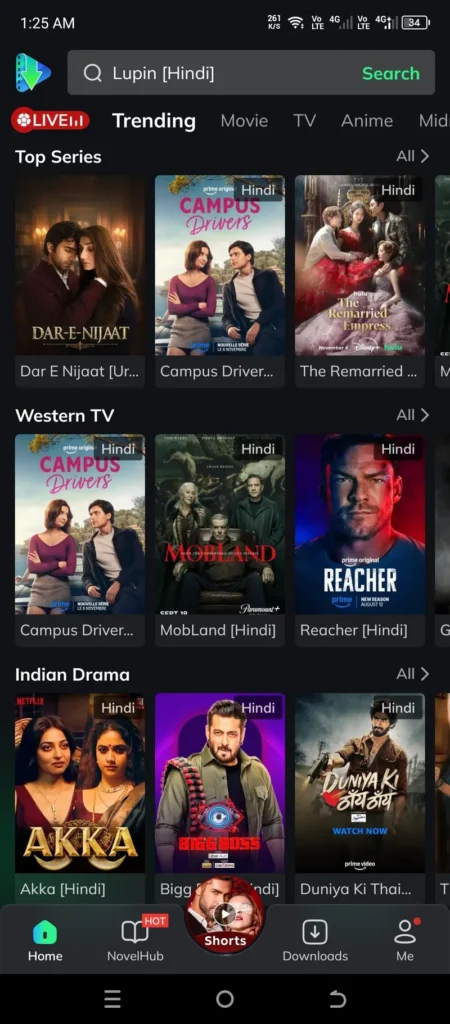
How Does PPCine Work?
The basic concept behind the PPCine APK is straightforward: an Android application is installed on a compatible device and, if its advertised streaming functionality is present, users can browse available entertainment and attempt to play selected titles.
The general process can be understood in three stages.
1. Obtaining the APK File
A user looking for PPCine may encounter APK files on third-party download websites. These files are presented as installation packages for Android applications.
The website hosting a file is not necessarily the application’s developer. Therefore, the source, application identity, version information and permissions should be considered before downloading anything.
2. Installing the Application
Android processes the APK and installs the application if the file is compatible and meets the device’s installation requirements.
When an application comes from outside Google Play, Android may require permission to install apps from the particular source. This is commonly known as sideloading.
3. Exploring Available Content
If the installed application includes working streaming functionality, its interface may provide access to entertainment categories, title information and playback options.
The actual content and available controls depend on the specific application. There is currently no independently verified PPCine specification that confirms its streaming technology, content sources or complete playback functionality.
For installation-related information, see the PPCine APK download guide.
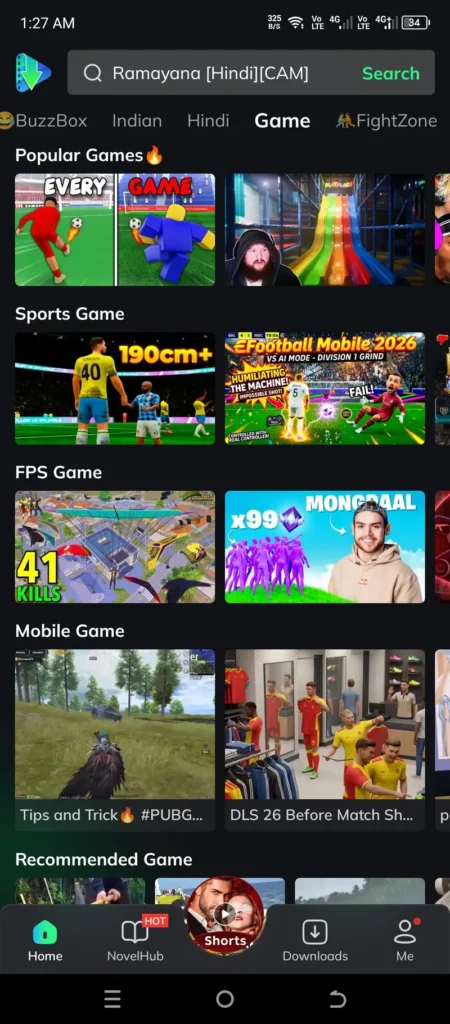
Which Devices Can Run PPCine?
Device compatibility is one of the most important questions for people searching for PPCine in India and Brazil.
The first thing to understand is that an APK is designed for Android-compatible environments. A device having an internet connection or a screen capable of playing videos does not automatically mean it can install an Android application.
The following table explains the general compatibility considerations. It does not represent confirmed PPCine testing on individual devices.
| Device | General APK compatibility | PPCine status |
|---|---|---|
| Android smartphones | Android applications can be installed when compatible | Specific support unverified |
| Android tablets | Android applications can be installed when compatible | Specific support unverified |
| Android TV | Supports compatible Android applications | Specific support unverified |
| Android TV boxes | Supports compatible Android applications | Specific support unverified |
| Amazon Fire TV and Firestick | Supports compatible Android applications | Specific support unverified |
| Samsung Smart TVs | Uses Tizen rather than Android APK installation | No native APK support |
| LG Smart TVs | Uses webOS rather than Android APK installation | No native APK support |
| Windows PCs | Can run Android applications through compatible emulation software | No verified native PPCine version |
| Mac computers | Can use compatible Android emulation environments | No verified native PPCine version |
| iPhone and iPad | Uses Apple’s iOS and iPadOS app ecosystem | No verified PPCine streaming release |
Android Phones and Tablets
Android phones and tablets are the most relevant devices for people searching for a PPCine APK.
These devices support Android application packages, although successful installation depends on factors such as:
- Android operating system version
- Device processor architecture
- Available storage
- Application compatibility
- Installation permissions
A file advertised for one Android device should not automatically be considered compatible with every phone or tablet.
Android TV and Smart TV
Android TV and Android-based television boxes can run compatible Android applications. However, an application designed for a touchscreen may not work properly with a television remote.
Screen layout, navigation, display resolution and remote-control support can all affect the experience.
It is also important to distinguish Android-based televisions from other Smart TV platforms. Samsung televisions run Tizen, while LG televisions run webOS. These platforms do not natively install Android APK files, so PPCine’s availability on these devices should not be assumed.
Amazon Fire TV and Firestick
Amazon Fire TV uses Fire OS, which is based on the Android Open Source Project and supports Android applications. Amazon also documents APK sideloading for development and testing purposes.
However, general Android application compatibility does not establish that PPCine works on every Fire TV model.
The application must still be compatible with the particular device and its software environment. Remote navigation and playback functionality also need to be supported.
Windows and Mac Computers
PPCine is commonly advertised on third-party websites as an Android application rather than a native desktop program.
Android emulators provide an environment in which compatible Android applications can run on a computer. This is different from having a dedicated Windows or macOS release.
No independently verified native PPCine desktop application has been established for this guide. Emulator compatibility with a particular PPCine APK is also unconfirmed.
iPhone and iPad
Android APK files cannot be installed directly through the normal iPhone or iPad application installation process.
Apple’s standard app distribution method is the App Store. An Android APK advertised under the PPCine name does not become an iOS application simply because an iPhone user can access its download website.
No independently verified PPCine streaming application for iOS or iPadOS has been established here.
Is PPCine Free to Use?
Many third-party websites advertise PPCine as a free streaming application without a conventional monthly subscription.
However, there is no independently verified pricing policy or official developer statement confirming the terms of the streaming APK discussed on those websites.
It is useful to distinguish three separate things:
- Downloading: A website may offer an APK file without charging for the download.
- Installing: Installing an application does not automatically establish that every feature is free.
- Streaming: Content availability, access conditions and any possible charges depend on the actual application and its content providers.
A free download should not be confused with a verified guarantee of free access to every movie or television program.
Is PPCine an Official Streaming Service?
The official status of the streaming-oriented PPCine APK has not been independently established.
There is no verified official developer website, publisher identity or authoritative product documentation available for the particular APK promoted by the third-party download pages reviewed for this article.
This distinction matters because several applications use the PPCine name. A Google Play listing with a similar name does not automatically authenticate an APK hosted on an unrelated website.
Before treating a file as genuine, users should compare its application name, package identity, publisher information and requested permissions. A download page describing itself as official is not sufficient proof of authorization.
For a more detailed discussion of installation risks and verification, read our Is PPCine Safe? guide.
What Should You Know Before Using PPCine?
Before considering a PPCine download, it helps to understand a few practical limitations.
Application Identity Can Be Unclear
Different websites may advertise files using the same application name. Their version numbers, developer details and feature descriptions may not match.
Do not assume that a file is genuine simply because its filename or icon resembles another PPCine listing.
Installation Outside an App Store Requires Care
Installing APK files from third-party websites involves additional considerations.
Google explains that Play Protect checks applications during installation and periodically scans devices for potentially harmful applications. It can also warn users about suspicious apps and block or remove harmful software.
Keep Play Protect enabled and avoid installing files from sources you cannot trust.
Content Availability Is Not Guaranteed
A website might advertise a large entertainment collection, but this does not guarantee that the advertised titles will be accessible.
Content availability can vary, and the legality of distributing or accessing particular copyrighted titles depends on the relevant rights and permissions.
Users should choose services that have the necessary authorization to provide their content.
Who Is PPCine For?
Based on how third-party websites position the streaming-oriented PPCine APK, it is primarily aimed at people interested in exploring movie and television entertainment through an Android application.
It may attract several types of users:
- Android users: People searching for an alternative way to access entertainment applications.
- Movie enthusiasts: Viewers interested in exploring different movie genres.
- TV show viewers: People who regularly watch episodic entertainment.
- International audiences: Users in India, Brazil and other countries searching for entertainment applications.
- Android TV users: People interested in using compatible entertainment applications on larger screens.
However, these are potential audiences based on the advertised purpose, not confirmed user demographics or evidence of successful device compatibility.
PPCine may not be suitable for someone who requires a verified publisher, guaranteed content availability, confirmed iOS support or an established subscription and customer-support system.
PPCine vs. Traditional Streaming Platforms
PPCine is frequently compared with established streaming services because both are associated with movie and television entertainment.
However, there is an important difference in the level of verification.
| Comparison | PPCine streaming APK | Established streaming services |
|---|---|---|
| Publisher identity | Not independently verified | Identifiable service providers |
| Official distribution | No verified official distribution channel established | Established app distribution channels |
| Content licensing | Not independently established | Licensing and distribution arrangements vary by provider |
| Subscription terms | Not independently verified | Published pricing and subscription terms |
| Device compatibility | Specific PPCine compatibility unverified | Published device support varies by service |
| Customer support | Not independently verified | Official support channels generally available |
This comparison does not establish that one service is better for every viewer. It highlights why publisher identity, distribution, content rights and support matter when choosing an entertainment application.
If you want to explore other viewing options, visit our PPCine APK alternatives guide.
Frequently Asked Questions About PPCine
1. What is PPCine?
PPCine is an application name associated with entertainment and movie discovery. Third-party APK websites commonly describe a streaming-oriented version as an Android application for watching movies and TV shows. However, its developer and exact streaming functionality have not been independently verified.
2. What is PPCine APK?
PPCine APK refers to an Android installation file advertised under the PPCine name. APK is the installable package format used by Android applications. Its compatibility and authenticity depend on the particular file.
3. Is PPCine a free streaming app?
Third-party websites advertise PPCine as a free streaming application. However, the pricing and access conditions of the specific streaming APK have not been confirmed by an independently verified developer.
4. What content does PPCine offer?
Third-party descriptions mention movies, TV shows, web series and animated entertainment. Some also advertise live television and sports. These content categories have not been independently confirmed as available features of a single verified PPCine application.
5. Can I use PPCine on Android phones?
Android phones support compatible APK applications. However, successful installation and operation of a particular PPCine file depend on its technical requirements and compatibility with the device.
6. Does PPCine work on Android TV?
Android TV supports compatible Android applications. Nevertheless, PPCine’s compatibility with individual Android TV models has not been independently verified.
7. Can I install PPCine on Firestick?
Amazon Fire TV supports compatible Android applications, including applications installed through sideloading. However, this does not guarantee that every PPCine APK will install or function correctly on Firestick devices.
8. Is PPCine available for Windows and Mac?
No independently verified native Windows or macOS version of the streaming-oriented PPCine application has been established. Some third-party websites discuss using Android emulators to run APK applications on computers, but PPCine compatibility remains unconfirmed.
9. Can I download PPCine on an iPhone?
An Android APK cannot be installed directly on an iPhone. No independently verified PPCine streaming application for iOS has been established in this research.
10. Is PPCine available on Google Play?
Google Play contains applications using the PPCine name, but their descriptions and identities do not establish that they are the same streaming APK advertised by third-party websites. Always check the publisher and application details before installing an application with a similar name.
11. Does PPCine support HD or 4K streaming?
Some third-party download websites advertise HD and 4K playback. However, these capabilities have not been independently verified. Actual video quality would also depend on the available source, internet connection and device.
12. Is PPCine safe to install?
Its safety cannot be confirmed without verifying the particular application, its developer, installation file and permissions. Keep Google Play Protect enabled and avoid unfamiliar or suspicious APK sources. See our dedicated PPCine safety guide for more information.
Final Thoughts
PPCine is a name that attracts attention from people searching for free movie and TV show streaming applications, particularly Android users interested in APK downloads.
Third-party websites commonly describe it as an entertainment application with movie and television content. However, the exact identity, developer, official distribution status and complete feature set of the streaming-oriented APK remain unverified.
Understanding these limitations is important before downloading or installing anything. Check the application details, consider your device’s compatibility and avoid treating advertising claims as confirmed product features.
If you want to learn more about the application and related information, start with the PPCine homepage. You can also explore the dedicated download, safety and alternatives guides before making a decision.